We are now officially integrated with CMAC.
You can now receive CMAC jobs directly into your CAB-X dispatch system, with full visibility and automation across the job lifecycle.
What this means for you
The entire booking lifecycle is now automated. When CMAC sends a quote request, your CAB-X system prices it against your existing zone or distance tariff. Once they confirm the booking, the job appears on your dispatch board within seconds. As the driver progresses through the trip, every status change is reported back to CMAC in real time, with live location and ETA included.
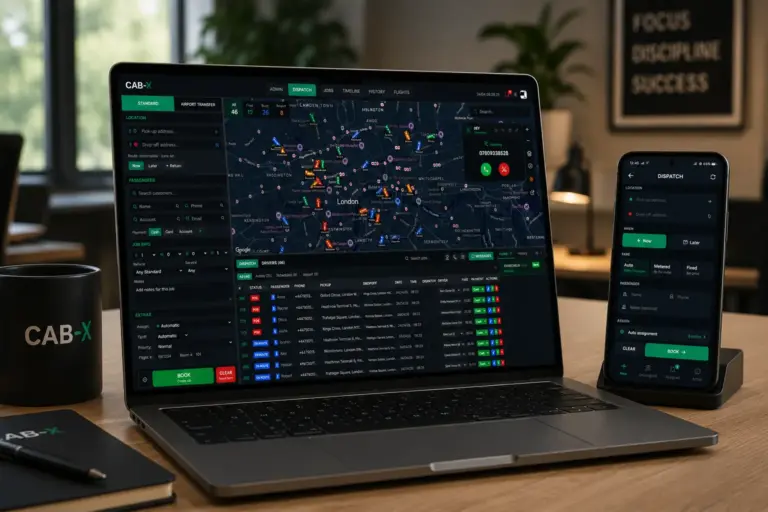
To your dispatcher, a CMAC booking behaves no differently from an in-house one. It is tagged in the dispatch board so the source is obvious, but the same auto-assign rules, zone queues and pre-booking workflows all continue to apply, so nothing about your day-to-day operation needs to change.
You can also set an optional driver commission. CAB-X invoices CMAC for the full agreed fare, while your drivers see a reduced amount in the app based on the percentage you choose. The split happens silently in the background, with no extra steps for you or your drivers.
What is CMAC
CMAC is a corporate ground transport platform used by airlines, rail operators, and insurance providers. It handles disruption and recovery journeys, moving stranded passengers at scale. For operators, it provides a steady flow of account work with consistent demand. Learn more at cmacgroup.com.
How the CMAC integration works
CMAC sends a quote request to CAB-X over a secure API. CAB-X prices the journey using your zone or distance tariff and returns a quote. If CMAC confirms the booking, the job lands on your dispatch board in the same state as any other pre-booked or immediate job. From there it flows through the standard CAB-X lifecycle: dispatched, en route, arrived, picked up, dropped off. Each status change is pushed back to CMAC automatically, and live driver location is shared with their tracking portal for the duration of the trip.
Why it matters
This integration removes the gap between external demand and your dispatch system.
Your team does not need to re-enter jobs or manage updates manually. Everything flows through CAB-X, while CMAC receives real-time updates in the background.
You stay in control, with a direct pipeline of high-volume work.
Getting started
If you are already using CAB-X, you can switch CMAC on in three steps.
- Open Admin, then Channels, then Partners.
- Toggle CMAC on. CAB-X generates a unique URL, username, and password.
- Send those credentials to your CMAC account manager. As soon as CMAC registers them, jobs start flowing.
You can set an optional driver commission percentage on the same screen. The fare invoiced to CMAC is unaffected.
Frequently asked questions
Is CAB-X an official CMAC partner?
Yes. CAB-X has passed CMAC's API validation and is live in production.
Do my drivers need to do anything differently?
No. CMAC jobs appear in the driver app exactly like any other account job. Drivers accept, drive, and complete as usual.
Can I set a different fare for the driver than the one invoiced to CMAC?
Yes. Set a commission percentage in the Partners page. Drivers will see the reduced fare in the app, while CMAC is invoiced the full amount.
Are pre-booked CMAC jobs supported?
Yes. Both immediate and future-dated CMAC bookings are handled. Pre-bookings sit on the dispatch board and auto-assign at the configured lead time, the same as any other scheduled job.
What happens if a driver cancels?
The cancellation status is pushed back to CMAC immediately, so they can re-source the job. Standard CAB-X re-dispatch rules apply if you have them enabled.
Next step
Contact the team to activate CMAC or request a short demo.