Taxi dispatch software.
Built around your booking office.
CAB-X Booking & Dispatch brings bookings, drivers and live journeys into one workspace.
Keep your team connected, from the first call to the final drop-off.
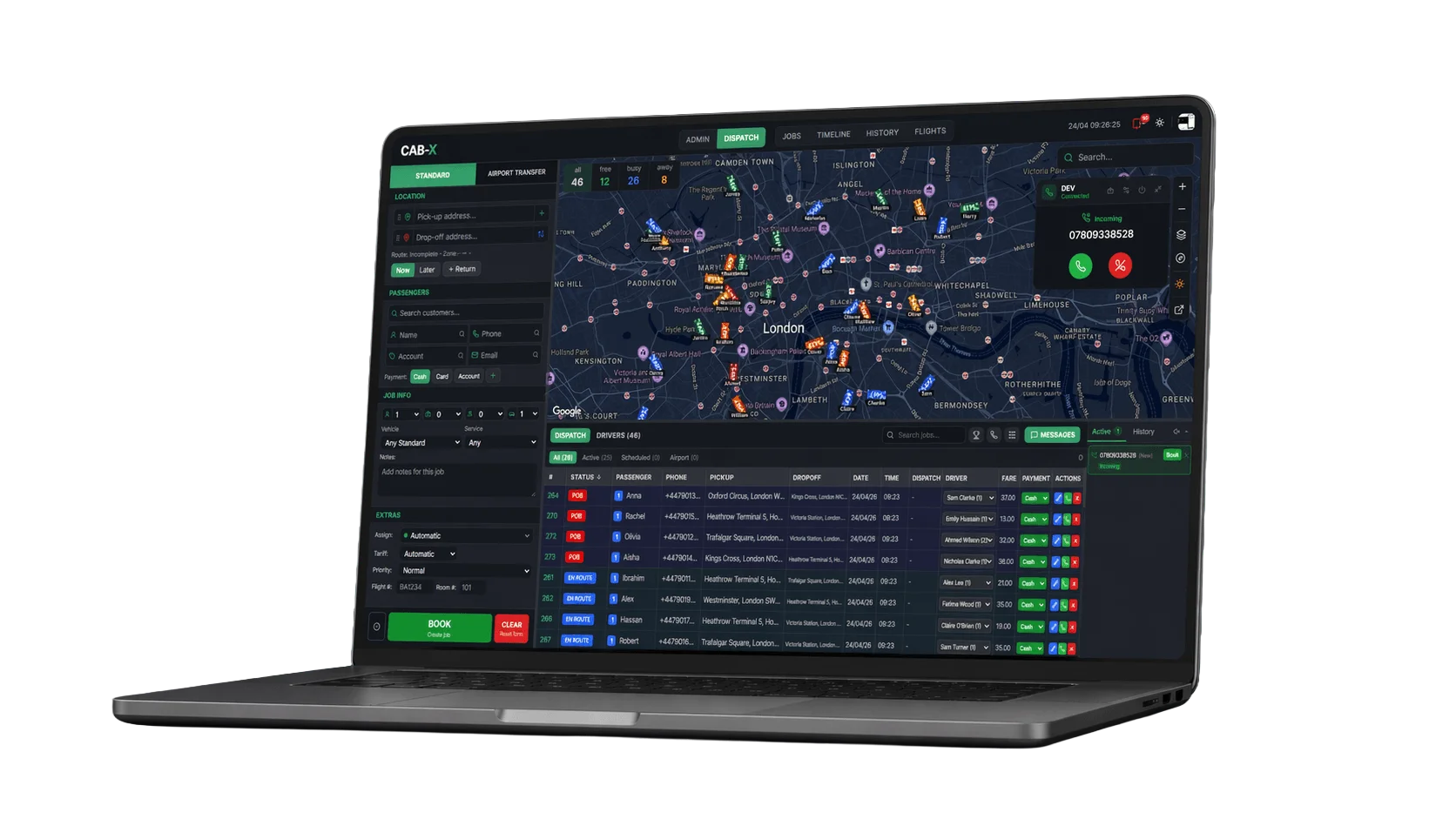
Live fleet
Know where your drivers are.
Follow driver locations, availability and active journeys from the dispatch map. Keep the booking queue in view while you find the right driver.
- Live driver locations
- Vehicle and availability status
- Jobs and map together
Booking desk
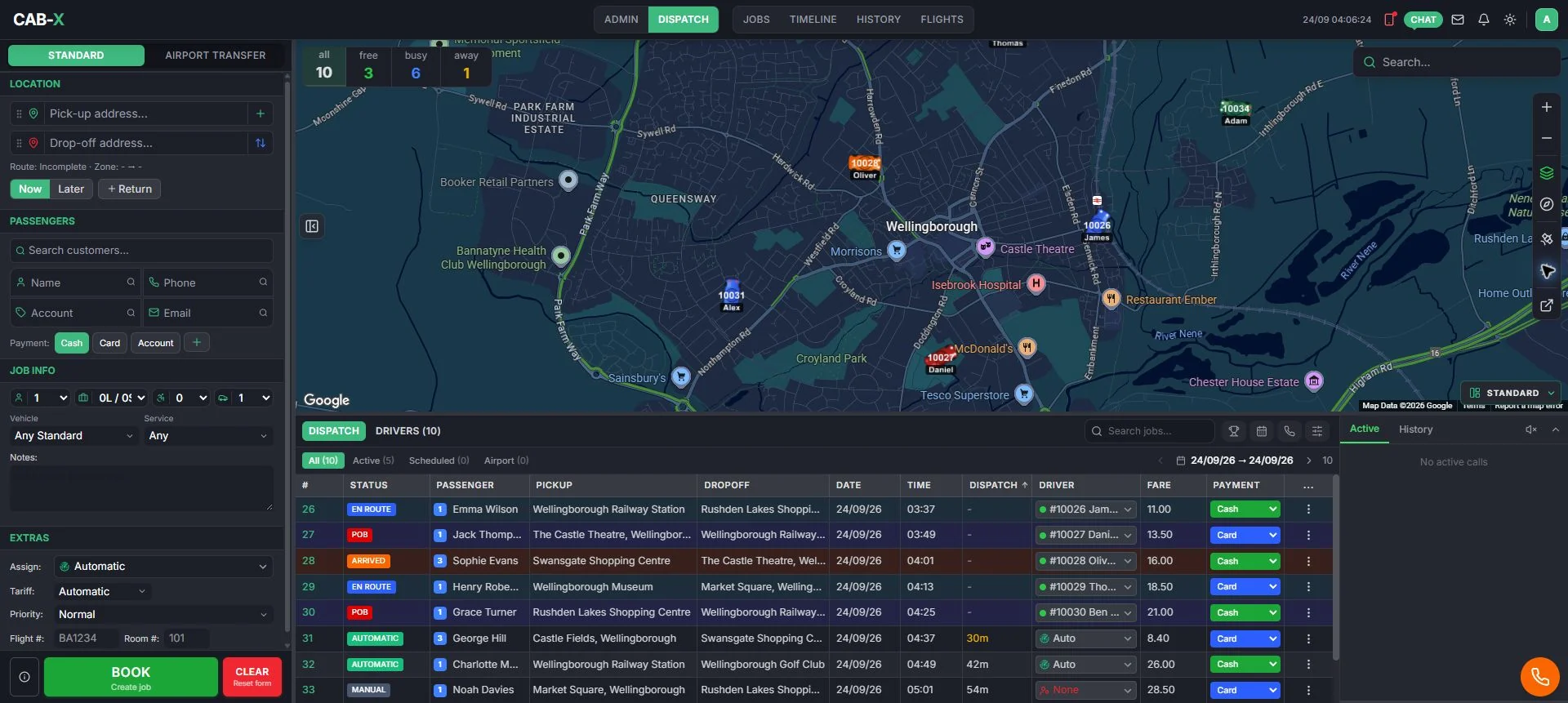
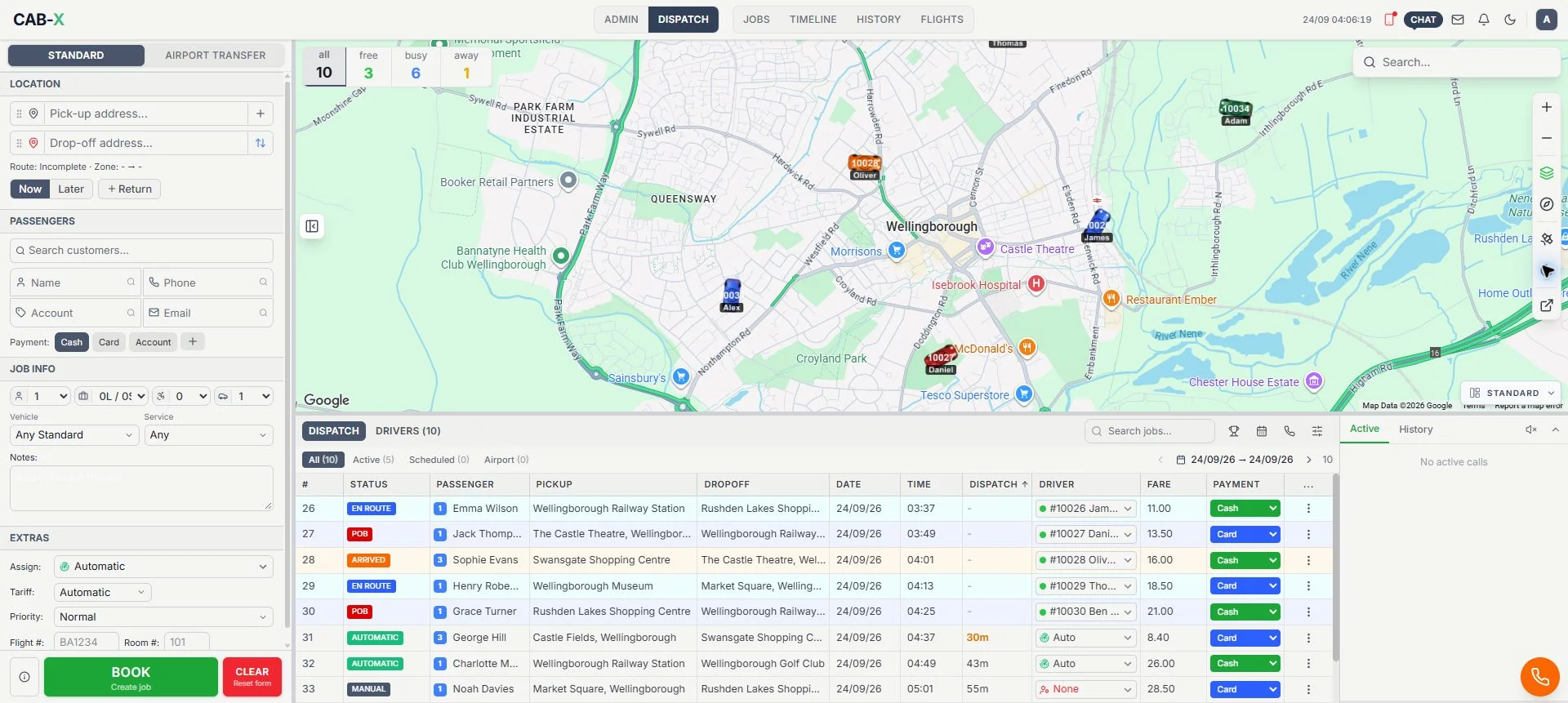
Take the booking. Keep the context.
Enter pickup, destination and any extra stops alongside the live fleet. Add passenger details, choose a payment method and book now or later.
- Multi-stop journeys
- Cash, card and account bookings
- Now, later and return journeys
Job queue
Keep every journey moving.
Review bookings, follow job statuses and allocate a driver from the same workspace. Choose manual assignment or let your dispatch rules handle it.
- Active and scheduled jobs
- Manual or automatic allocation
- Driver, fare and payment details
From booking to drop-off.
Booking comes in
Take bookings over the phone or receive them through the Passenger App, Web Booker or Voice AI. Quote the fare using your configured tariffs.
Assign a driver
Choose a driver yourself or let your dispatch rules assign one automatically.
Track until drop-off
Live driver position, ETA, and status changes are visible to dispatch and to the passenger. Your team can answer journey questions using the latest available information.
Assign a job. Check a route. Keep control.
Assign from the jobs list
Open the driver list for a job and select the driver you want to assign. Your dispatcher can make the allocation from the booking queue without switching to a separate driver screen.
Optimise a multi-stop route
Add the pickup, destination and intermediate stops. Use route optimisation to review the stop order and route estimate before saving the booking. See the three-waypoint example.
Plan your changeover
Discuss the bookings, drivers, customers and settings you need to bring across. Read about switching systems.
Fleet and driver management
Keep fleet and driver records together.
Manage vehicle records, driver documents and schedules alongside your bookings. Explore taxi fleet management
Vehicles and documents
Record MOT, insurance and licence expiry dates. Upload driver and vehicle documents, see what is due or expired, and choose whether expired required documents stop drivers from going online.
Sessions, schedules and leave
Review the driver, vehicle and PHV badge recorded for a session, alongside online and offline times. Manage driver schedules and record leave.
Settlements and online time
Prepare driver statements and review settlements. Use driver performance reports to see recorded online time over a selected period.
One platform, every channel.
Your team can manage phone, website and app bookings in the same dispatch queue.
Common questions about taxi dispatch software.
See Booking & Dispatch in action.
30-minute walkthrough with a real CAB-X engineer. Bring your dispatch questions.
Book a DemoFrom £15/vehicle/month, see full pricing, or start a 14-day free trial · no credit card required.
