In Booking & Dispatch, you can see which documents need renewing and check who was online in each vehicle. You can also manage driver schedules and prepare settlements.
Keep vehicle records and expiry dates together
Use the vehicle record to identify a car by registration and keep its MOT, insurance and private hire vehicle licence expiry dates with its documents. Office staff can upload or replace files on driver and vehicle records and enter expiry dates for documents that need them.
The Compliance view highlights documents that have expired or are due soon, so you can see which records to review first. You can also choose to stop a driver going online when a required driver document or a required document for their assigned vehicle has expired.
See who was online and in which vehicle
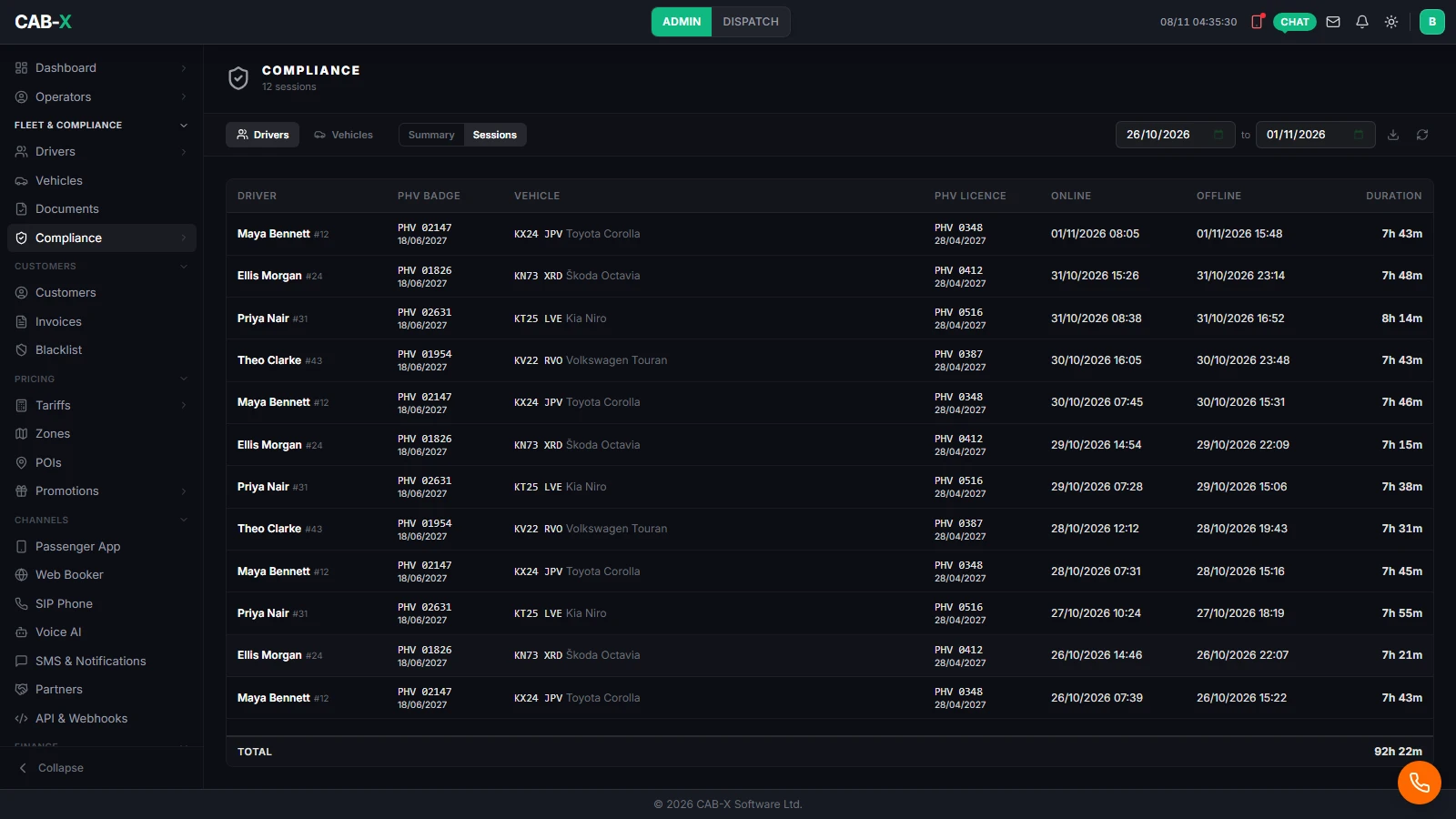
Review sessions over a date range. A session shows who went online, which vehicle they used, and when they went online and offline. It also shows the driver’s PHV badge if one was recorded. An open session can show as active. Where an older session has no saved identity details, the view marks them as not recorded.
Set driver schedules and record leave
Set working hours and record time off for each driver. Open Driver availability from the Dispatch screen to see who is on leave for the selected date.
When you prebook a job, our dispatch system warns you if the selected driver is on leave on the pickup date. You can cancel or book anyway.
Prepare driver statements and settlements
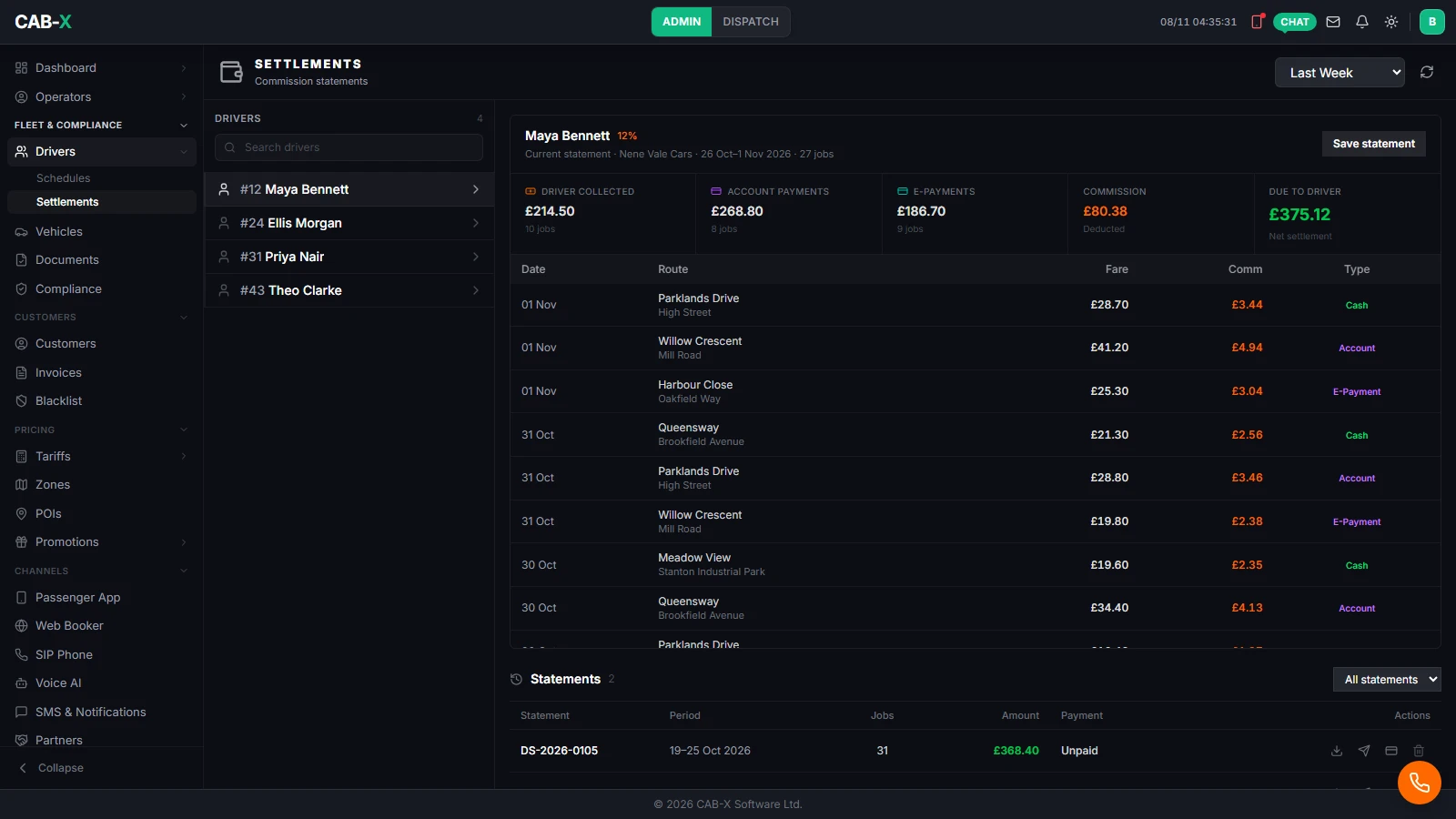
Where settlements are enabled for the driver, select a period and review the statement before saving it. The settlement view separates money collected by the driver from account and electronic payments and shows the applicable commission and balance.
Review driver online time
The Driver Performance view reports recorded online time for the selected period. Use it alongside individual sessions when you need to check a particular start or finish time. Drivers use the CAB-X Driver App to go online for work.
